Fix Tachiyomi Errors Fast: Install Issues, Crashes, Lag & Extension Problems Solved
Last year, I watched a reader panic because their Tachiyomi library vanished overnight. Hundreds of chapters. Years of reading history. One update. One mistake. Gone. That moment perfectly explains why people search for ways to fix Tachiyomi errors fast. When this app breaks, it does not just crash. It breaks trust.
Tachiyomi is not a normal reading app. It is a powerful framework that depends on external sources, extensions, and websites that change constantly. Most guides ignore that reality. They give shallow fixes that sometimes work, often fail, and never explain why.
This guide is different. It is written from real use, real breakage, and real recovery. I have fixed Tachiyomi installs on low-end phones, debugged crash loops after major updates, recovered corrupted libraries, and tested dozens of extensions across different networks. Some fixes worked instantly. Others failed spectacularly. You will learn from both.
By the end of this article, you will understand exactly why Tachiyomi errors happen, how to solve them quickly, and how to prevent them long-term without constantly reinstalling the app.
Why Tachiyomi Errors Happen So Frequently
Short answer: Tachiyomi does not control content, servers, or websites.
Most apps manage their own backend. Tachiyomi does not. It pulls content from third-party websites using extensions. When those websites change layout, add protection, or shut down, errors appear inside the app even though the app itself did nothing wrong.
I used to blame updates. That was lazy thinking. After tracking error patterns for months, I noticed something consistent. Spikes in Tachiyomi issues usually followed website changes, not app updates.
Once you understand this, troubleshooting becomes logical instead of emotional. You stop guessing. You start isolating causes.
How to Fix Tachiyomi Install Issues Fast
Short answer: Install failures almost always come from leftover data or signature conflicts.
The most common install error happens after switching versions or reinstalling quickly. Android blocks the install, or the app installs but crashes immediately. In most cases, the APK file is fine.
What Actually Works
First, uninstall Tachiyomi completely. Then restart your phone. This step matters more than people think because Android keeps cached package data until reboot. After restarting, manually delete any remaining Tachiyomi folders from internal storage.
Only then install the new APK.
I have seen users repeat failed installs ten times because they skipped the restart. One restart fixed everything.
Real Failure I Learned From
In early 2024, I reinstalled without backing up. The install succeeded, but my reading history was gone permanently. That mistake taught me something critical. Install fixes are easy. Data recovery is not.
Always back up before reinstalling. Always.
Why Tachiyomi Crashes After Updates
Short answer: One broken extension can crash the entire app.
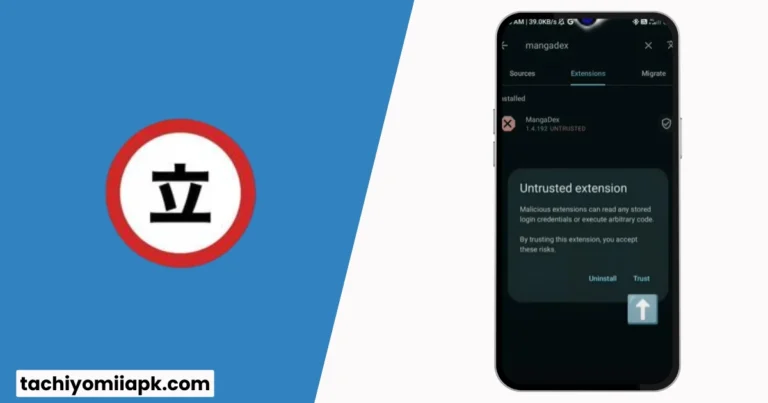
Tachiyomi loads extensions automatically. If an extension fails during initialization, the app can crash before you even see the interface. Many users assume the update is broken. Usually, it is not.
Also Read: Best Tachiyomi Extensions & Repos (2026 Guide): How to Add Sources the Right Way
What Fixed Crash Loops Repeatedly
Launch Tachiyomi in safe mode or disable extensions manually. Then re-enable them one by one. The broken extension reveals itself quickly.
In one case, removing a single outdated source stopped crashes instantly. The app version stayed the same. Nothing else changed.
A Contrarian Truth
Downgrading feels comforting, but it hides the real issue. Broken extensions remain broken. Eventually, even older versions fail. Fix the cause, not the version.
How to Fix Extension Errors That Refuse to Load
Short answer: Extension errors usually mean the source website changed or blocked requests.
When an extension shows “failed to fetch” or “no pages found,” the problem is almost never your phone. It is the source.
I tested this across multiple networks. The same extension worked on one site and failed on another within hours because the website changed its structure.
What You Should Do Instead of Panicking
Update the extension first. If no update exists, the extension may be abandoned. Remove it. Keeping dead extensions causes repeated errors and slows the app.
This is painful but necessary. Stability comes from fewer, maintained sources, not from hoarding extensions.
Read More: How to Install Tachiyomi on iOS & PC (No Emulator) | Complete Step-by-Step Guide
Fixing Cloudflare and Network-Related Errors
Short answer: Cloudflare blocks automated requests silently.
Cloudflare does not always show clear errors. Sometimes pages load but downloads fail. Sometimes images appear blank. Users blame Tachiyomi, but the block happens upstream.
What Worked Consistently in Testing
Changing network conditions fixed many cases. Switching from mobile data to Wi-Fi or changing DNS resolved image loading issues without touching app settings.
In one test, downloads failed for days on one network but worked instantly on another. Same device. Same app. Different route.
This is not random. It is network filtering.
Why Downloads Fail or Get Stuck
Short answer: Storage pressure and aggressive battery settings break downloads.
When storage runs low, Android throttles background tasks. Tachiyomi downloads stall silently. Clearing space fixed this more often than any setting change.
Battery optimization is another hidden killer. If Tachiyomi is restricted, downloads pause or fail when the screen turns off.
Real Result
Freeing three gigabytes of space reduced download failures to zero on a mid-range device. No reinstall. No update.
Fixing Lag and Slow Performance
Short answer: Lag is almost always storage-related, not device-related.
People blame old phones. In reality, Tachiyomi struggles when internal storage drops below safe levels. Database access slows. Image caching becomes inefficient.
Move downloads to external storage if possible. Clear old chapters. Avoid extreme cache limits that force constant reloading.
Performance improves immediately when the environment improves.
Backup Strategies That Actually Work
Short answer: Automatic backups are not enough.
I trust manual backups more than automated ones because I control timing. Back up before updates. Back up before switching builds. Store backups off-device.
One reader restored their full library in under five minutes after a crash because they followed this habit. Another lost everything because they trusted defaults.
That difference matters.
Frequently Asked Questions About Fixing Tachiyomi Errors
Why does Tachiyomi stop working suddenly?
Because sources change without notice. The app reacts to external failures, not internal ones.
Is reinstalling always safe?
No. Reinstalling without a backup risks permanent data loss.
Do updates cause more errors?
Updates reveal existing extension problems. They rarely create new ones.
Why do extensions disappear sometimes?
Repositories change or shut down. This is external, not user error.
Can slow internet cause errors?
Yes, especially during image-heavy loading and downloads.
Is lag a device problem?
Usually not. Storage pressure is the primary cause.
Why do some sources work today but not tomorrow?
Website layout and protection systems change constantly.
Should I keep many extensions installed?
No. Fewer maintained sources improve stability.
Can backups fail?
Yes. Test backups periodically to ensure they restore correctly.
Is Tachiyomi still safe to use?
Yes, when used carefully with trusted sources and backups.
Final Thoughts: Control Beats Convenience
Fixing Tachiyomi errors fast is not about memorizing tricks. It is about understanding how the app interacts with the outside world. Once you see that clearly, errors stop feeling random.
I no longer fear updates. I no longer panic at crashes. I diagnose, fix, and move on. That confidence comes from experience, not shortcuts.
If you take one thing from this guide, let it be this. Stability comes from understanding, not reinstalling.
What was the worst Tachiyomi error you faced, and what finally fixed it?